
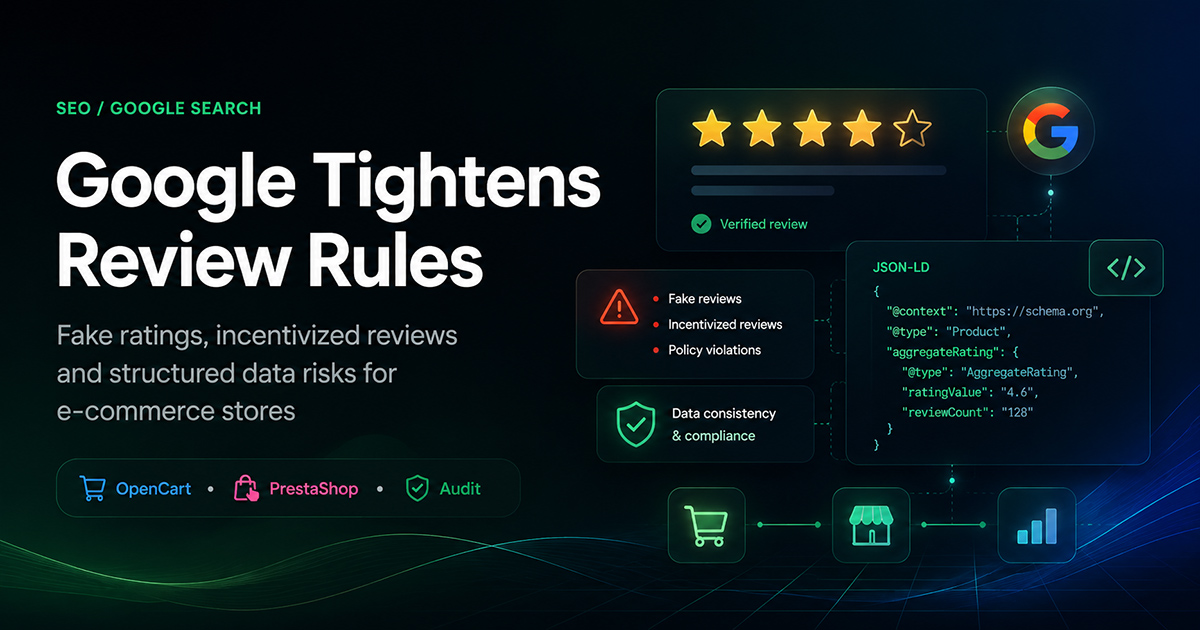
On July 24, 2026, Google added a new requirement to its official Review snippet documentation: pages and structured data must not contain fake reviews or incentivized reviews without clear disclosure. For online store owners, this means checking not only customer comments, but also the source of the average rating, the number of reviews, moderation statuses, caching, and the JSON-LD generated by the theme or SEO module.
The key points in one minute
Google did not announce a separate ranking algorithm update. It updated the eligibility requirements for review rich results.
ratingValue,ratingCount, andreviewCountmust be based on real data.The rating included in structured data must also be visible and accessible to users on the page.
Ratings from Google Maps, marketplaces, manufacturers, or other websites must not be included in your own
AggregateRating.Any reward for submitting a review on your own website must be clearly disclosed next to the relevant review.
Incentivizing reviews on Google Business Profile is prohibited.
Rich Results Test validates the markup but does not verify whether the reviews are genuine.
What exactly did Google change on July 24, 2026?
Google added a separate requirement concerning fake and undisclosed incentivized reviews to its documentation for Review and AggregateRating structured data. Two main types of content may violate the updated rules:
reviews that are not based on a genuine experience with the product or service;
reviews submitted in exchange for money, a discount, voucher, gift, or free product when the incentive has not been clearly and prominently disclosed.
It is important to interpret this update correctly. Google did not announce a separate algorithm designed to automatically reduce the rankings of every website with suspicious reviews. The update mainly concerns page eligibility for review rich results.
When a page does not comply with the guidelines, Google may stop displaying stars and other review snippet elements. In more serious cases, the website may receive a manual action related to structured data. The page may still remain in ordinary search results, but Google may ignore its review markup.
Important clarification
Valid JSON-LD does not automatically mean that a page complies with Google’s policies. The code may pass Rich Results Test while still containing a fabricated rating, hidden reviews, or data taken from an inappropriate source.
Why this requirement matters to almost every online store
The problem goes far beyond ordering hundreds of positive reviews from a third-party provider. In many online stores, the greatest risk comes from outdated themes, structured data extensions, and incorrect database queries rather than from store managers.
The store theme may display one review count, the standard OpenCart review module may return another, and the SEO extension may generate a third value in JSON-LD. When Journal caching, OCMOD modifications, multiple languages, and several structured data modules are added to the system, conflicting information can easily appear on the same product page.
For example, a customer may see:
an average rating of 4.3;
12 published reviews;
two negative comments.
At the same time, the JSON-LD sent to Google may contain:
ratingValue: 4.9;reviewCount: 47;only five-star reviews.
Even when such a discrepancy is accidental, it may look like misleading or manipulative structured data to a search engine.
The most dangerous scenarios for online stores
1. A fixed rating of 4.7–5.0 for every product
Some SEO extensions include settings such as “default rating” or “show stars for products without reviews.” As a result, a new product that has never been rated may receive a 4.9 score and 20–30 fictional reviews in its structured data.
This rating is not calculated from genuine customer feedback. It is generated programmatically and does not reflect the actual content of the product page.
Unsafe example
{


"@type": "Product",
"name": "New product without reviews",
"aggregateRating": {
"@type": "AggregateRating",
"ratingValue": 4.9,
"reviewCount": 27
}
}
When a product has no genuine ratings, it is safer not to generate the aggregateRating property at all.
2. Unpublished reviews included in the calculation
The database may contain:
reviews awaiting moderation;
test entries created by developers;
spam;
duplicates;
rejected comments;
reviews hidden because they contain personal data or violate the website rules.
If the SEO module calculates the average rating without checking the publication status, the value in JSON-LD will not match the review section visible to customers.
In a standard OpenCart database, the calculation should normally include only published records. The exact table and field names may differ depending on the OpenCart version, database prefix, and installed extensions.
Simplified OpenCart audit example
SELECT
product_id,
COUNT(*) AS review_count,
ROUND(AVG(rating), 2) AS rating_value


FROM oc_review
WHERE status = 1
GROUP BY product_id;
This query should not be copied directly into a production database without checking the actual database structure. It only demonstrates the main principle: the rating should be calculated from published records, not from the entire review table.
3. The rating exists in the code but not on the page
Google requires marked-up content to be available to users. When the JSON-LD contains an average rating of 4.6 based on 18 reviews, visitors should be able to see that rating and access the corresponding reviews.
Potential problems include:
the review section is hidden with CSS;
reviews are loaded only after an action that Google cannot reproduce;
the mobile version does not display the rating;
reviews are available only to logged-in users;
the structured data remained active after the review module was disabled;
the rating is shown in category listings but not on the product page itself.
A tab, accordion, or “Show reviews” button is not necessarily a problem, provided that users can actually open and read the review content on the same page.
4. The overall store rating is applied to every product
A company rating and a product rating represent different entities. A store must not take its overall score, for example 4.8, and add it to every catalog item as Product.aggregateRating.
The same applies to:
using a category average as the rating for every product;
using a brand rating for all models from that brand;
using the total number of store reviews on every product page;
using a delivery service rating as a product rating.
The structured data must describe the specific item presented on the page.
5. Ratings imported from other websites
Google does not allow ratings from other websites to be aggregated into your own review snippet. This includes ratings from:
Google Maps and Google Business Profile;
Facebook;
online marketplaces;
manufacturer websites;
supplier catalogs;
third-party review platforms.
A third-party widget may be displayed to users when this is permitted by the source platform. However, those ratings should not be included in your own Product.aggregateRating or presented as reviews collected by your store.
6. Outdated cache after moderation
A manager may approve a new review, remove spam, or change the status of an entry while the JSON-LD continues to show the previous value. This commonly happens when different parts of the system are cached separately:
the product page;
the Journal theme template;
the SEO module output;
Redis or file cache;
the CDN;
OpenCart modifications.
Review moderation should invalidate every cache layer that affects both the visible rating and the structured data of the product.
7. Two modules generate Product JSON-LD simultaneously
An online store may use a theme, an SEO extension, and a separate structured data module at the same time. Each component may generate its own Product object.
Google may then find:
one product object with a 4.2 rating;
another product object with a 4.9 rating;
different prices and availability statuses;
different product names or identifiers.
The complete HTML source must therefore be checked, not only the settings of one particular extension.
8. Confusing ratingCount with reviewCount
ratingCount is suitable for the total number of ratings, including star ratings without written comments. reviewCount describes the number of full reviews.
For example, a product may have 35 ratings but only 12 written reviews. In that case, using reviewCount: 35 would be inaccurate.
Example of consistent AggregateRating markup
{


"@type": "Product",
"name": "Product name",
"aggregateRating": {
"@type": "AggregateRating",
"ratingValue": 4.4,
"ratingCount": 35,
"reviewCount": 12,
"bestRating": 5,
"worstRating": 1
}
}
Every value must correspond to the genuine ratings and reviews collected and displayed by the store.
9. Reviews are automatically copied across product variants
When colors, sizes, or configurations are combined into a product family, the store must define a clear rule for assigning reviews.
A review of a black T-shirt in size M may be relevant to other sizes of the same model. However, a review of one coffee machine should not automatically be copied to another model simply because the products share a brand or similar name.
The module must clearly determine whether the rating belongs to:
a specific variant;
the parent product;
the entire compatible product family.
The same rule must be applied in the visible interface, the database, and the JSON-LD.
Rewards for reviews: when do they become risky?
Google’s updated Search requirement does not describe a complete ban on every reward offered for a review submitted on a store’s own website. It prohibits fake reviews and incentivized reviews without proper disclosure.
When a customer receives a bonus, discount, voucher, gift, or free sample, the reward must be clearly and prominently disclosed next to the relevant review.
Example of clear disclosure
The author received a reward for submitting this review
A brief statement written in small gray text somewhere in the promotion terms does not provide enough context while a user is reading the review itself.
A safer reward system should follow several principles:
the reward is provided for an honest review, not for a five-star rating;
a negative rating does not disqualify the customer from receiving the reward;
the store does not require the customer to edit or remove criticism;
the incentive is disclosed next to the review;
the review is based on a genuine experience;
the promotion rules explain how content is moderated.
Do not confuse website reviews with Google Business Profile reviews
Google Maps and Google Business Profile have stricter policies. Offering money, discounts, free products, or services in exchange for any Google review is prohibited.
For this reason, messages such as the following are unsafe:
Leave us a Google review and receive a 10% discount on your next order.
Even when the store does not explicitly request a five-star rating, offering a reward for publishing a Google review violates the platform’s rules.
What to check in OpenCart and PrestaShop
| What to check | Potential risk | Safe implementation |
|---|---|---|
Source of ratingValue | The value is hardcoded or configured manually | The average rating is calculated from genuine published records |
ratingCount | Test or hidden ratings are included | Only ratings visible to users and assigned to the specific product are counted |
reviewCount | The total number of ratings is presented as the number of written reviews | The value matches the actual number of reviews |
| Moderation status | The SEO module does not check the publication status | Only approved and published records are included |
| Visibility | The rating exists only in JSON-LD | The average rating and count are available on the page |
| Product association | The overall store rating is applied to products | Each rating belongs to a specific product or compatible variant |
| Third-party sources | Ratings are imported from marketplaces or Google Maps | The markup uses ratings collected on the store’s own website |
| Cache | The value remains outdated after moderation | Changing the review status invalidates all relevant product caches |
| Multiple languages | Different review counts appear in different languages | The counting and visibility rules remain consistent and predictable |
| Duplicate JSON-LD | The theme and module generate conflicting Product objects | The page contains one consistent structured data source |
OpenCart-specific checks
In standard OpenCart installations, reviews are usually stored in the review table and associated with a product_id and publication status. However, third-party extensions may use separate tables, additional fields, or their own scoring systems.
During an audit, locate:
the controller or model that calculates the average rating;
the template that displays the rating to users;
the module that generates JSON-LD;
the event or process responsible for clearing cache after moderation;
all OCMOD changes related to
Product,Review, andAggregateRating.
PrestaShop-specific checks
In PrestaShop, the data structure depends on the review module. Comments, ratings, evaluation criteria, and moderation statuses may be stored separately. The SEO module may read data from a different source than the storefront template.
Compare:
the product comments module data;
the visible score in the product template;
the theme’s JSON-LD;
the markup generated by third-party SEO modules;
Smarty cache and the platform cache.
Practical technical audit of a product page
Step 1. Check a product with no reviews
A product without ratings should not receive a fabricated average score. Search the page source for:
AggregateRating;ratingValue;ratingCount;reviewCount.
When the store has not collected any ratings for the product, it is better not to generate aggregateRating.
Step 2. Check a product with one negative review
One published review with a rating of 2 should produce an average rating of 2, not a minimum score of 4 or 4.5 configured by the SEO extension.
This test quickly reveals whether the module uses genuine database records or artificially maintains a high rating.
Step 3. Change the review status
Publish a test review.
Check the visible rating and JSON-LD.
Disable the review in the administration panel.
Clear the cache or wait for automatic cache invalidation.
Check the product page again.
If the review disappears from the storefront but continues to affect JSON-LD, the structured data logic needs to be fixed.
Step 4. Check desktop and mobile versions
An adaptive website may use different templates for different screen sizes. Make sure the rating does not disappear on mobile devices and is not replaced by another rating block.
Step 5. Compare four sources
Database: how many published ratings the product actually has.
Page: what average rating and count the customer sees.
JSON-LD: what values are sent to the search engine.
Search Console: whether structured data errors or manual actions are present.
All four sources should describe the same reality.
Step 6. Test the page with Rich Results Test
The tool can detect syntax errors, invalid data types, missing required properties, and certain structured data conflicts.
However, it cannot determine:
whether the author is a real person;
whether the author purchased the product;
whether the review was submitted in exchange for money;
whether the store suppresses negative reviews;
whether the 4.9 rating was fabricated;
whether the rating was imported from another website.
A green validation result therefore confirms only technical validity, not full compliance with Google’s review policies.
How to collect more reviews correctly
Avoiding manipulation does not mean that a store must passively wait for reviews. Customer feedback can be collected systematically and automatically.
Send a request after the order has been completed
The email or message should be sent after the customer has received the product and had enough time to use it. The request should remain neutral:
Please share your experience with this product. Your review will help other customers make a better decision and help us improve our product range and service.
Do not ask customers to leave five stars or send review requests only to customers who have already indicated that they are satisfied.
Use a secure access token
A personalized link with a one-time token can confirm the connection between the review and the order without exposing the order number or personal information.
Add a “Verified purchase” label
This label is not a mandatory requirement for review snippets, but it increases trust, helps reduce spam, and confirms that the review is associated with a genuine order.
Allow customers to provide useful details
A good review form may include:
an overall rating;
a written comment;
advantages and disadvantages;
photos;
the selected model, color, or size;
the period of use;
a verified purchase label.
Detailed reviews are useful not only for Google. They answer real customer questions, reduce uncertainty, and help visitors make purchasing decisions.
Explain your moderation policy
A store may remove spam, insults, personal data, external advertising, and content unrelated to the product. However, reasonable criticism should not be hidden simply because the customer submitted a low rating.
For online stores serving customers in the European Union, review transparency also has legal significance. European consumer protection rules require businesses to explain whether the origin of reviews is verified and how the business ensures their authenticity.
What to do after fixing the module
Clear the OpenCart or PrestaShop cache.
Refresh the OCMOD modification cache.
Clear the Journal or Smarty theme cache.
Check Redis, file cache, and CDN caching.
Open the product page in a private browser window.
Inspect the original HTML source, not only the DOM shown in developer tools.
Validate the JSON-LD with Rich Results Test.
Check the URL with Search Console’s URL Inspection tool.
Review the structured data reports and manual actions section.
Wait for Google to crawl and process the page again.
Search result changes may not appear immediately after the issue has been fixed. Google must crawl and process the page again. Even perfectly valid structured data does not guarantee that stars will always appear because Google decides when a rich result is appropriate.
A five-minute audit for store owners
Find a product without reviews.
Check whether the code contains a fabricated
AggregateRating.Open a product with genuine reviews.
Compare the visible rating with
ratingValue.Compare the actual number of reviews with
ratingCountandreviewCount.Check whether the
Productobject is duplicated.Make sure the values change after review moderation.
What this means for online store owners
There is no need to remove all product ratings immediately. When a store collects genuine reviews, moderates them correctly, and keeps the visible content synchronized with JSON-LD, Google’s updated documentation should not create an additional problem.
An audit is recommended when:
the SEO module was installed many years ago;
the store owner does not know where
ratingValuecomes from;products without reviews already display stars;
ratings are imported from marketplaces;
reviews are moderated but the average score does not change;
several structured data modules are active;
different values appear across language versions or multiple stores;
review snippets have disappeared or warnings have appeared in Search Console.
The core principle is simple: the customer, the database, and the search engine must all see the same rating calculated from the same genuine reviews.
Frequently asked questions
Did Google ban all incentivized reviews?
No. The updated Review snippet requirement refers to fake reviews and incentivized reviews without clear disclosure. On a store’s own website, the reward should be clearly and prominently disclosed, and the review must be based on a genuine experience.
Google Business Profile has stricter rules and prohibits incentives for any Google review.
Can a rating be displayed without a written review?
Google supports ratingCount for the number of ratings, so a written comment is not an absolute technical requirement for every star rating. However, Google recommends collecting the rating together with a comment and the author’s name because this provides more context for users.
Can a product without reviews keep a 4.9 rating?
No, not when the value is not based on genuine customer ratings. For a product without ratings, it is better not to generate AggregateRating than to insert a default score.
Can the store rating be displayed on every product?
No. A rating included in Product structured data must refer to the specific product, not to the business, category, brand, or entire catalog.
Can reviews be imported from a marketplace?
Third-party content may be displayed only in accordance with the source platform’s policies and licensing terms. However, ratings from other websites should not be aggregated into your own review snippet and presented as ratings collected by your store.
Is the “Verified purchase” label mandatory?
No. It is not a mandatory requirement for review rich results. However, it improves trust, helps fight spam, and confirms that the review is linked to a genuine order.
Does Rich Results Test confirm that reviews are genuine?
No. The tool validates the structure and syntax of the markup. It cannot determine whether the author is a genuine customer, whether an incentive was provided, or whether the store suppresses negative reviews.
What can happen if the rules are violated?
Google may stop displaying stars and other review rich result elements. In more serious cases, a manual action may be applied to the structured data. The page may still remain in ordinary search results.
Will the FAQ section receive a Google FAQ rich result?
Website owners should not rely on receiving a FAQ rich result. The section remains useful for readers, internal search, clear page structure, and direct answers to common questions.
Technical audit
Do you know where your module gets its 4.9 rating?
SiteZilla can audit the review module and structured data of an OpenCart or PrestaShop store. We identify fabricated values, duplicate Product JSON-LD objects, incorrect calculations, moderation status issues, and outdated cache.
After the audit, the rating will be calculated from genuine published reviews and will match the information visible to customers on the product page.